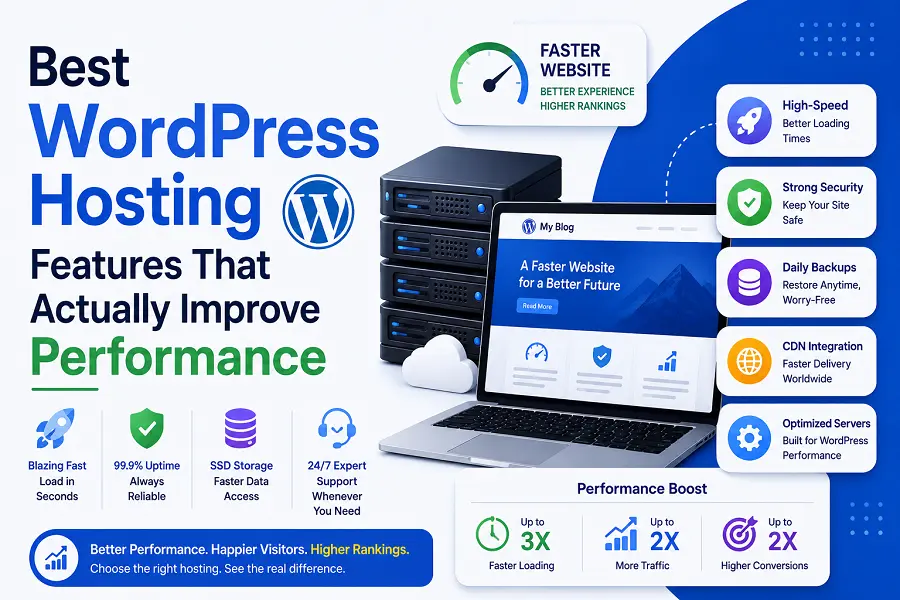

A landing page has one specific goal: turning casual visitors into paying customers or qualified leads. Unlike standard website pages, it eliminates distractions like main navigation menus and sidebars to focus entirely on a single call to action (CTA). Building this asset in WordPress without pre-made templates allows you to control the exact layout, speed, and user experience required to maximize your marketing return on investment.
Essential Elements of a High-Converting WordPress Layout
Designing an effective layout requires strategic placement of psychological triggers above and below the fold. The area visitors see before scrolling must instantly communicate value and capture interest.
-
Compelling Headline: State the primary benefit of your offer within three seconds of page load.
-
Hero Image or Video: Use relevant visuals that demonstrate the product or service in action.
-
Contrasting CTA Button: Position a vibrant, clickable button above the fold that clearly dictates the next step.
-
Social Proof Snippet: Display a short testimonial or star rating near the main action area to build immediate trust.
-
White Space: Leave ample breathing room around text blocks to prevent visual fatigue and guide the reader’s eye downward.
Step-by-Step Technical Setup in WordPress
Creating a page from scratch ensures clean code and faster loading times, which directly impacts your search engine rankings and conversion rates. Follow this sequence to establish a solid foundation.
-
Launch a Blank Canvas: Create a new page in your WordPress dashboard, navigate to the template settings, and select “Blank Page” or “Landing Page” to strip away the default header, footer, and sidebar.
-
Select a Lightweight Builder: Use the native Gutenberg block editor or a performance-focused page builder to structure your rows and columns without adding heavy script bloat.
-
Establish Global Typography and Colors: Limit your palette to three primary colors and two readable fonts to maintain brand consistency throughout the layout.
-
Optimize Mobile Responsiveness: Adjust the column scaling, font sizes, and padding specifically for smartphone viewports, as over half of your traffic will likely arrive via mobile.
-
Integrate Tracking and Analytics: Embed your conversion pixels and analytics scripts in the page header to accurately monitor visitor behavior and goal completions.
Advanced Optimization Tactics for Maximum ROI
Once the structural framework is active, fine-tuning the psychological elements will push your conversion rates higher. Focus on reducing friction during the user journey.
Implement asynchronous loading for image files so the core text and CTA buttons become interactive instantly. Keep input forms incredibly brief; every additional field you require drops the likelihood of completion. Use persuasive, benefit-driven microcopy on the submission buttons instead of generic phrases like “Submit” or “Click Here.” Finally, configure an exit-intent popup that triggers only when a user moves their cursor toward the close tab button, offering a secondary lead magnet to capture departing traffic.
Conclusion
Building a high-converting landing page from scratch in WordPress gives you total control over the user experience, page speed, and conversion funnel. By focusing on a clean visual hierarchy, minimizing structural distractions, and optimizing for mobile devices, you create a direct path for visitors to take action. Regular testing and refinement will ensure the page remains a powerful revenue driver for your business.
Frequently Asked Questions
Which WordPress theme is best for a custom landing page?
A lightweight, minimalist theme like Astra, GeneratePress, or Hello Elementor works best because they offer completely blank templates that do not force default headers or footers onto your custom canvas.
How does page speed impact my landing page conversions?
Slow loading times frustrate users and increase bounce rates. Every one-second delay in page load time can significantly decrease conversion rates, making speed optimization vital for marketing success.
Should I include external navigation links on my landing page?
No. External links give visitors an escape route away from your conversion funnel. Removing the main menu and footer links keeps the user focused entirely on your primary call to action.
What is a good conversion rate for a WordPress landing page?
While performance varies by industry, an average successful landing page converts between 2% and 5% of traffic. Top-tier, highly optimized pages can reach conversion rates of 10% or higher.
How often should I run A/B split tests on my layout?
You should test one element at a time continuously once you have enough consistent traffic to generate statistically significant data. Start by testing headlines, followed by CTA button colors and imagery.